Product documentation
FuturePathway.ai Platform Guide
This document describes the FuturePathway.ai platform: its seven modules, the methodology behind its university-matching results, and the sequence in which a student is expected to move through the product, from account creation to a submitted application.
1. Overview
FuturePathway.ai is a web application that supports a student through the university admissions process: researching institutions, tracking applications, drafting essays, and preparing a résumé. It is organized into seven modules (Section 2), all of which read from and write to a single student profile.
The platform does not estimate a student's probability of admission and does not generate essay or résumé content on a student's behalf. Where a fact cannot be confirmed against a published source, the interface states this directly rather than substituting an estimate. This convention is applied independently in three places — the university-matching results (Section 3), the essay-coaching tool (Section 2.6), and the career-planning screen (Section 6.1) — and is treated in this document as a property of the product rather than a claim about it.
2. Platform modules
The platform is organized into seven modules, reached from the primary navigation once a student has signed in. Each module is described below with the fields or actions it exposes and a screen capture from the live product.
2.1 University discovery
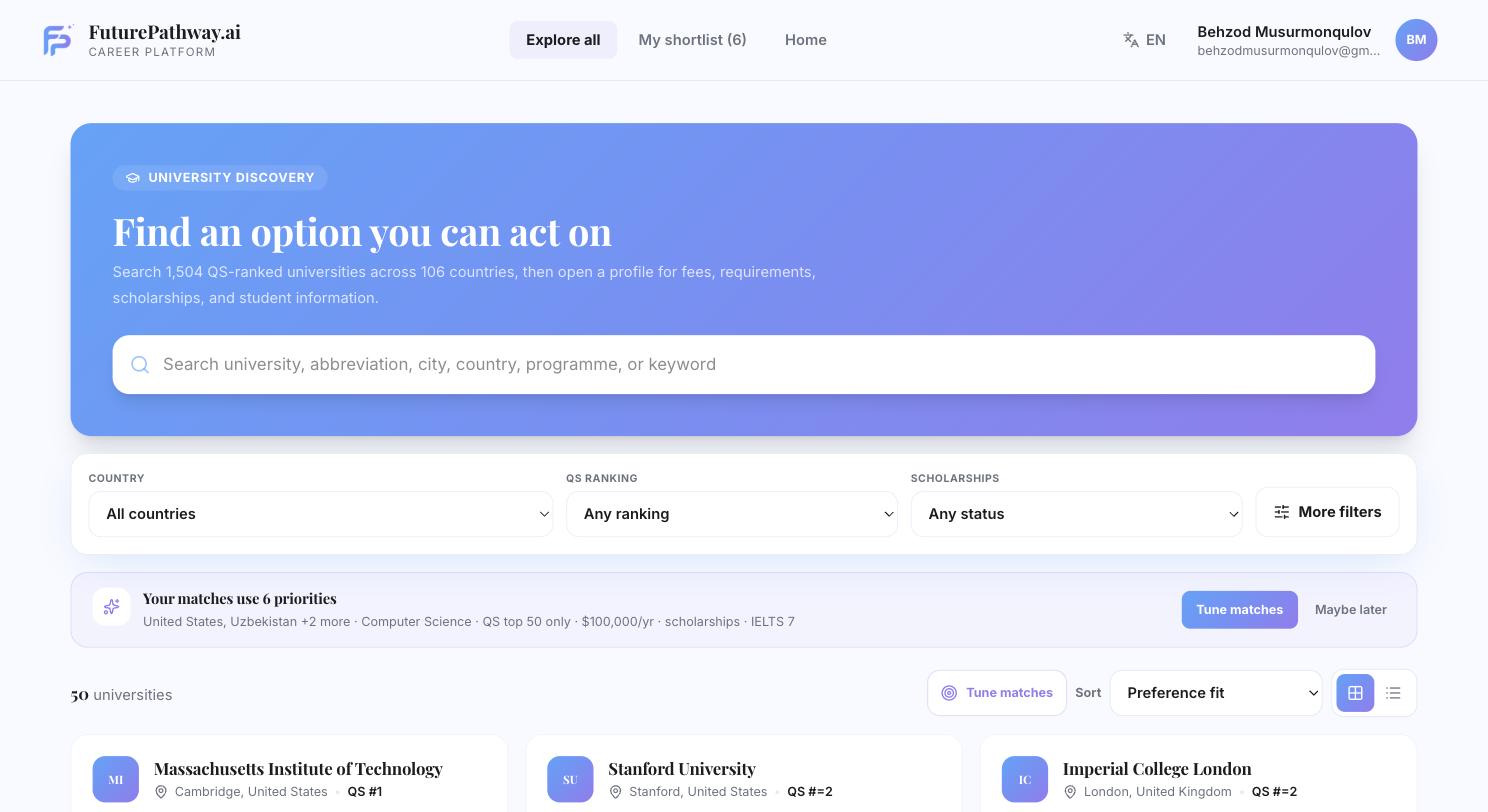
Lists 1,504 QS-ranked institutions across 106 countries. Results can be searched by name, city, country, or programme, and filtered by country, QS ranking band, and scholarship availability.
A student may optionally set six priorities: preferred countries, subject and degree level, a ranking goal, an annual budget, whether a scholarship is required, and an English-test score and score. Once at least one priority is set, results are re-ordered by fit and each result card is labelled with one of four verdicts, defined in Section 3.
2.2 University profile pages
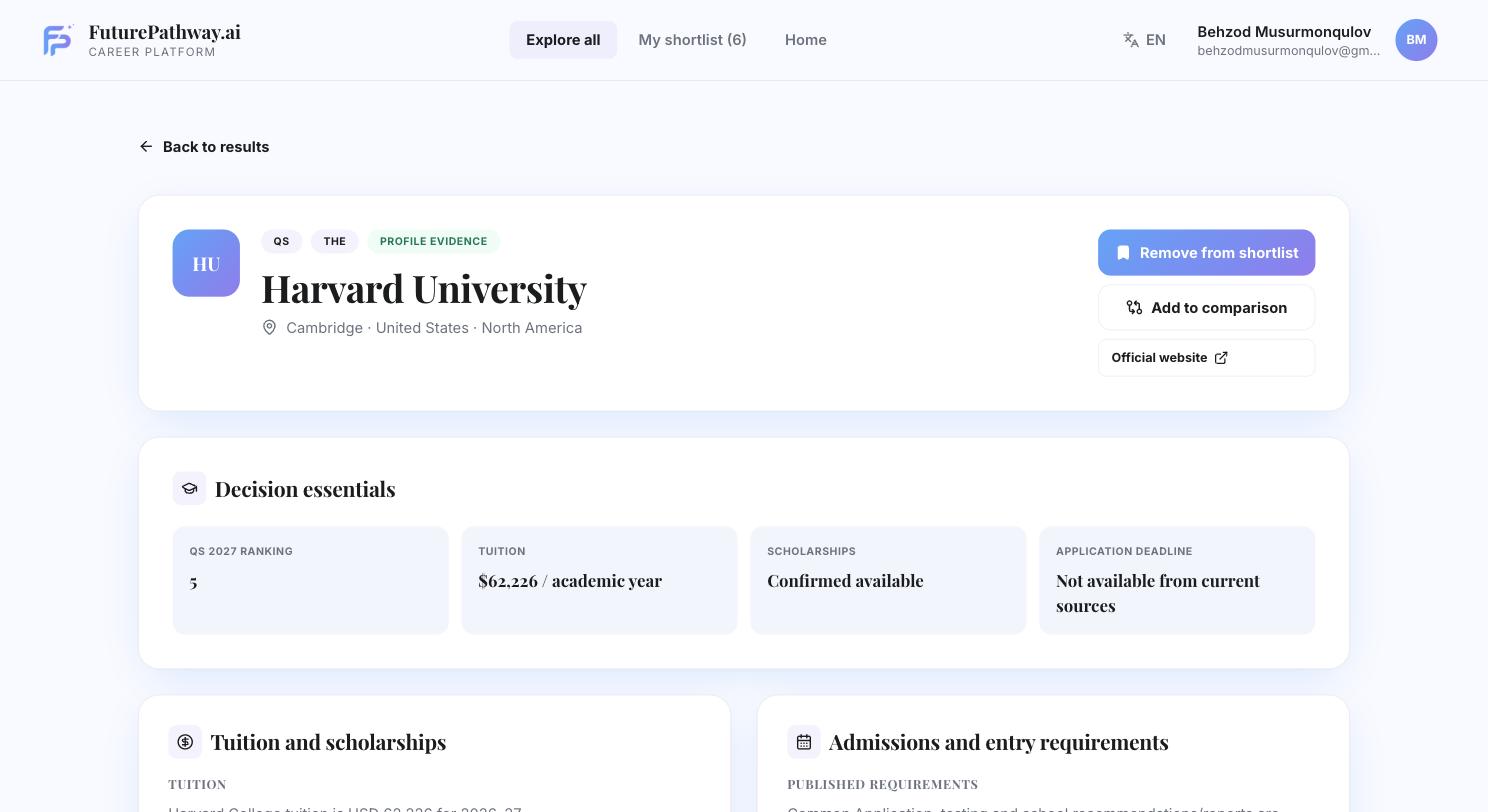
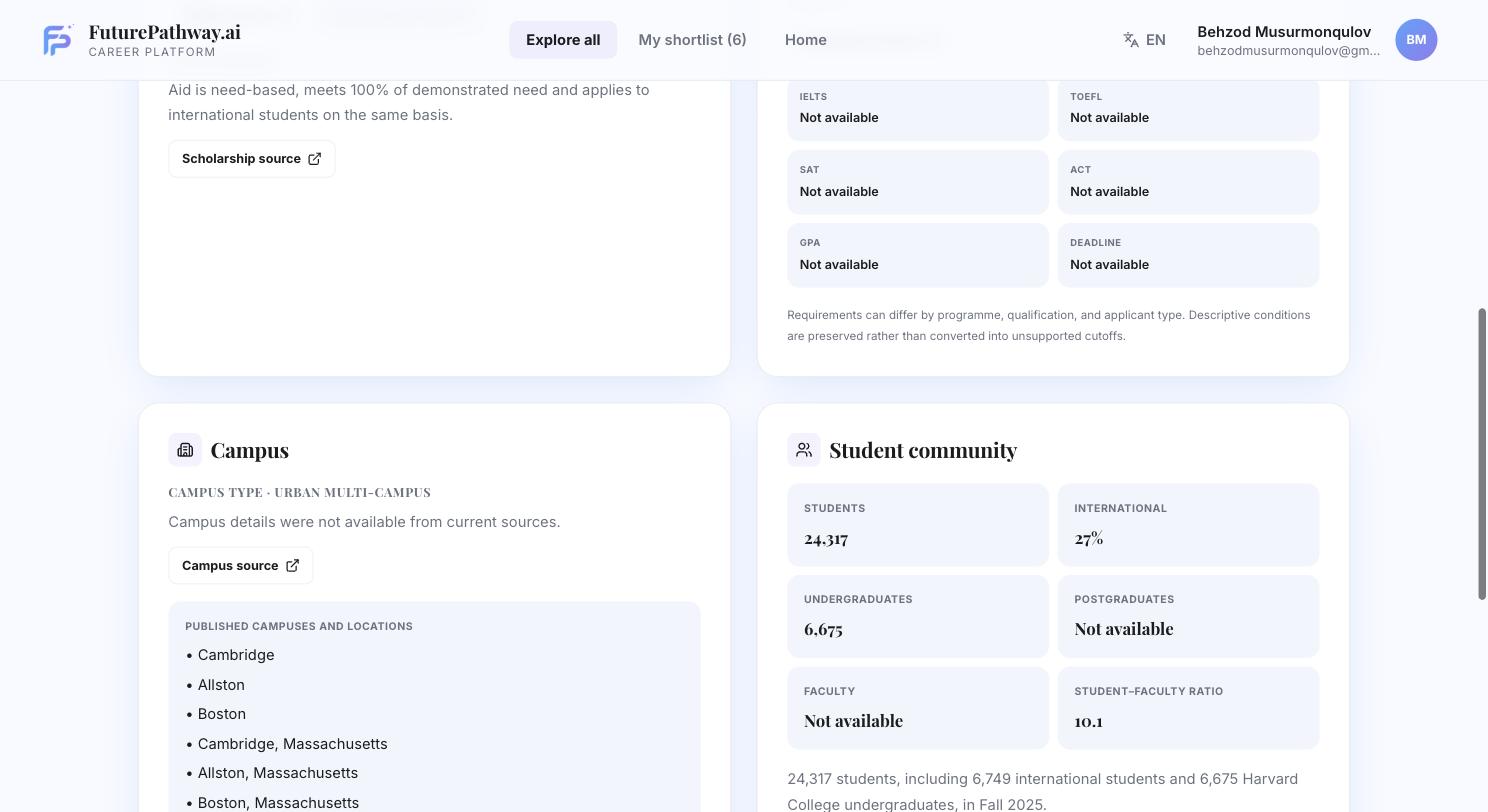
Selecting a university opens a profile listing its QS/THE ranking, tuition and scholarship terms, admissions requirements (IELTS, TOEFL, SAT, ACT, GPA, application deadline), campus locations, and student-community statistics (enrolment, proportion of international students, faculty ratio).
A field the team has not been able to verify against a published source is labelled "Not available" rather than estimated.
2.3 Shortlist
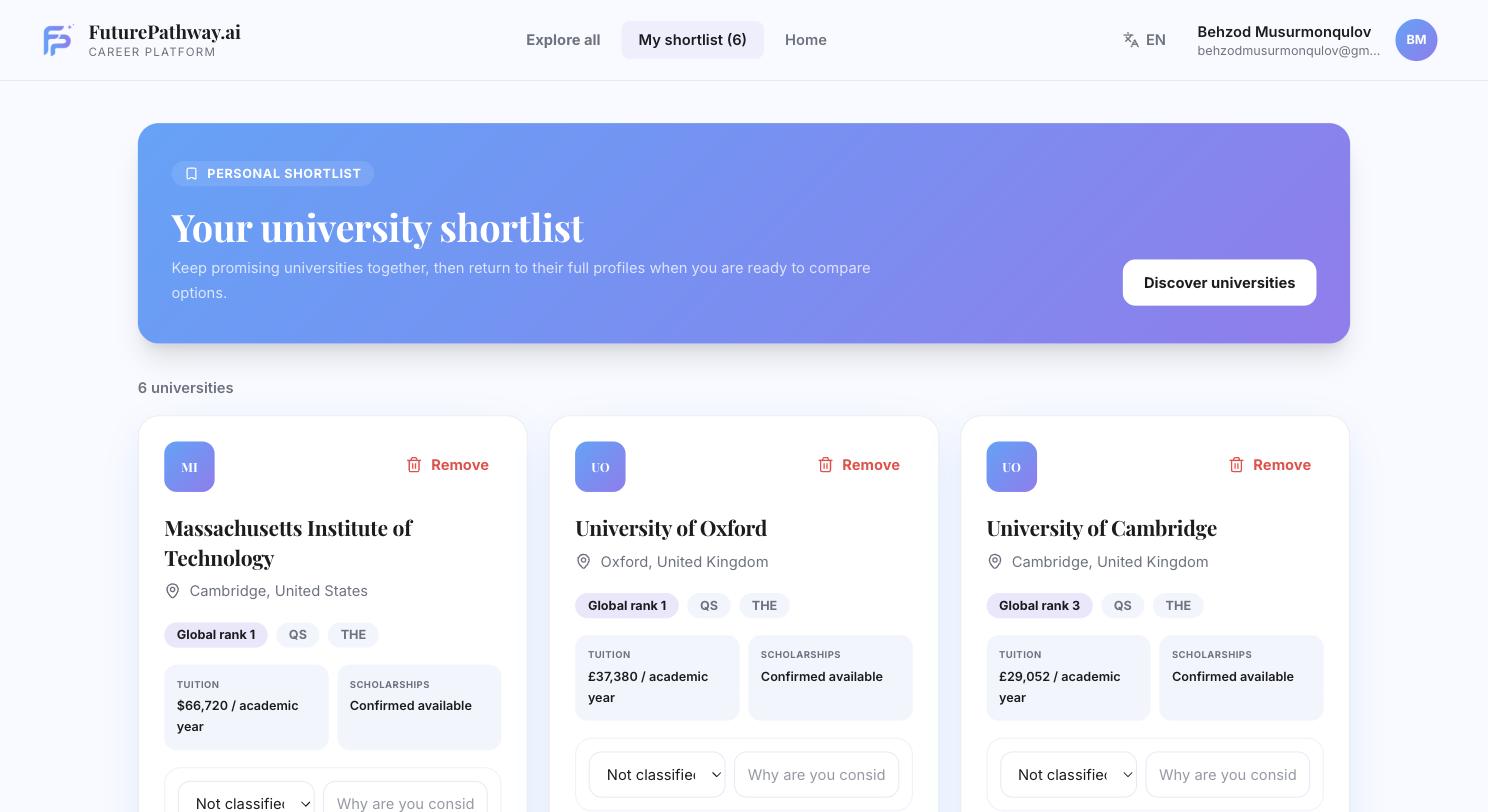
A university saved from the discovery list or from a profile page is added to a personal shortlist, where a student may record a note and classify the entry — for example as a reach, match, or safety option. The shortlist is a holding area: saving a university does not create an application record.
2.4 Application workspace
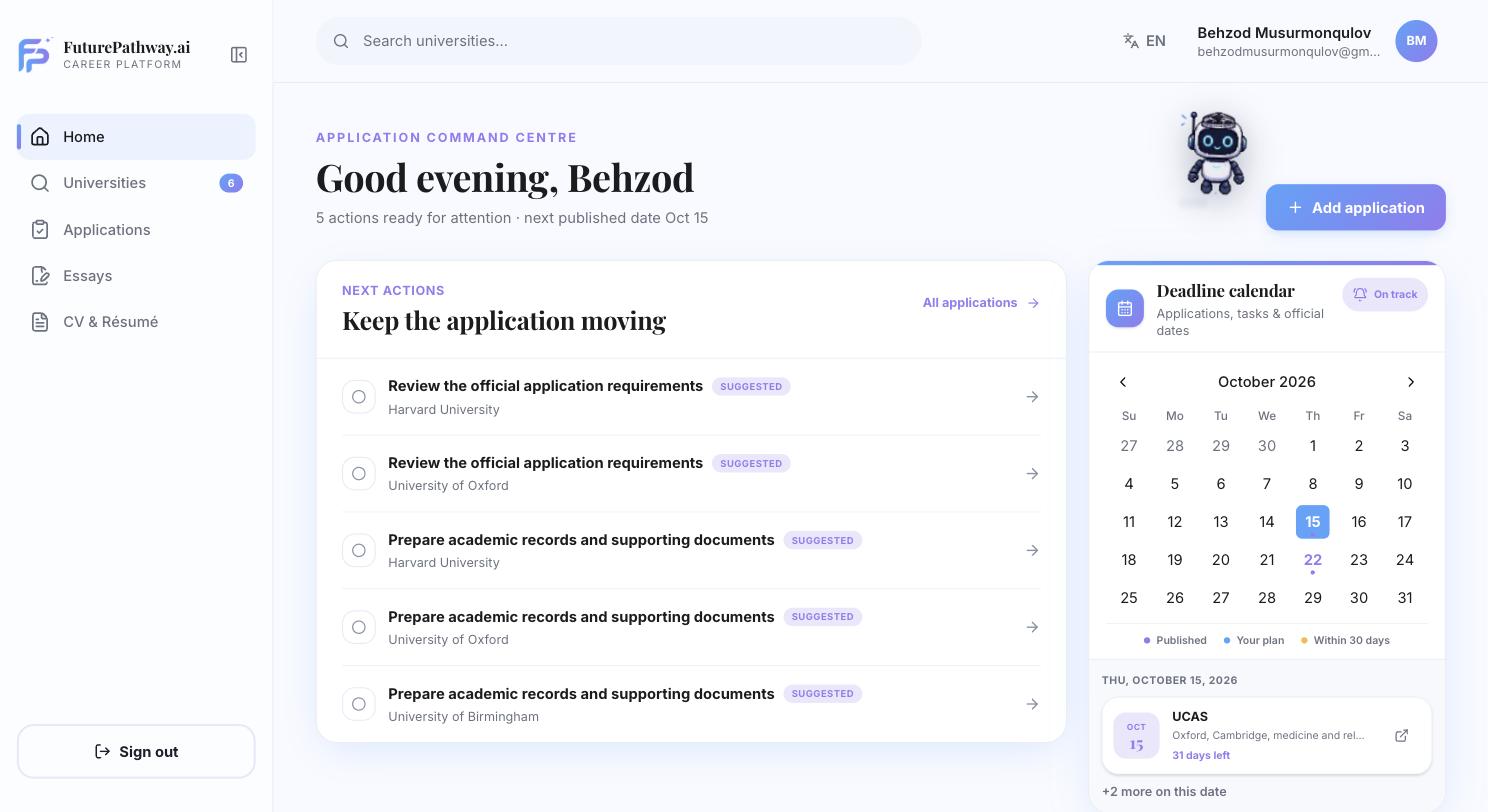
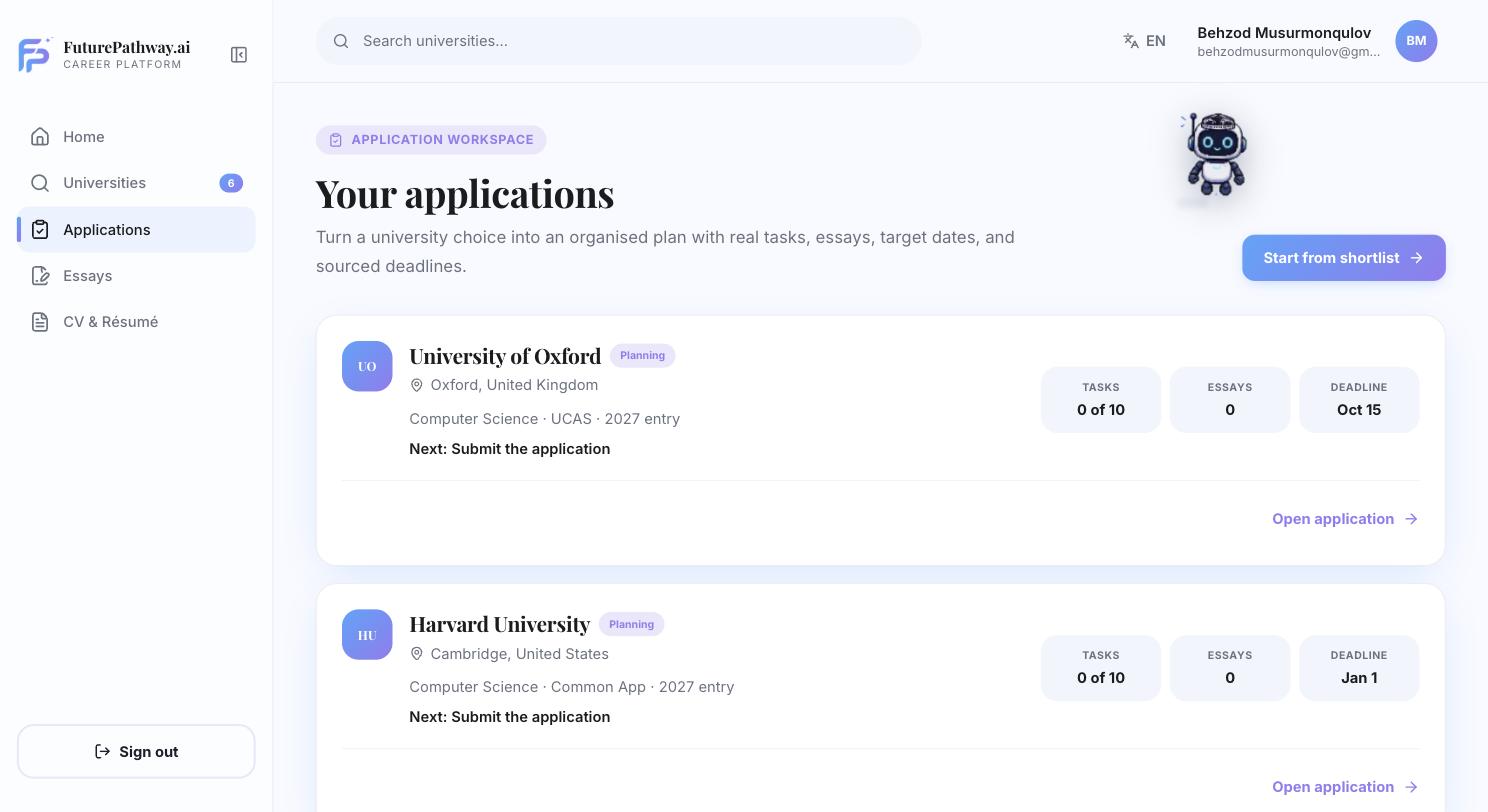
Converting a shortlisted university into an application ("Start from shortlist") creates a record consisting of a task list, an essay counter, an application system (UCAS or Common App), an entry year, and a deadline. The dashboard surfaces the single next outstanding task across all open applications; a calendar view lists deadlines falling within the next 30 days.
Each application record carries a status field, at present limited to Planning.
2.5 Student profile
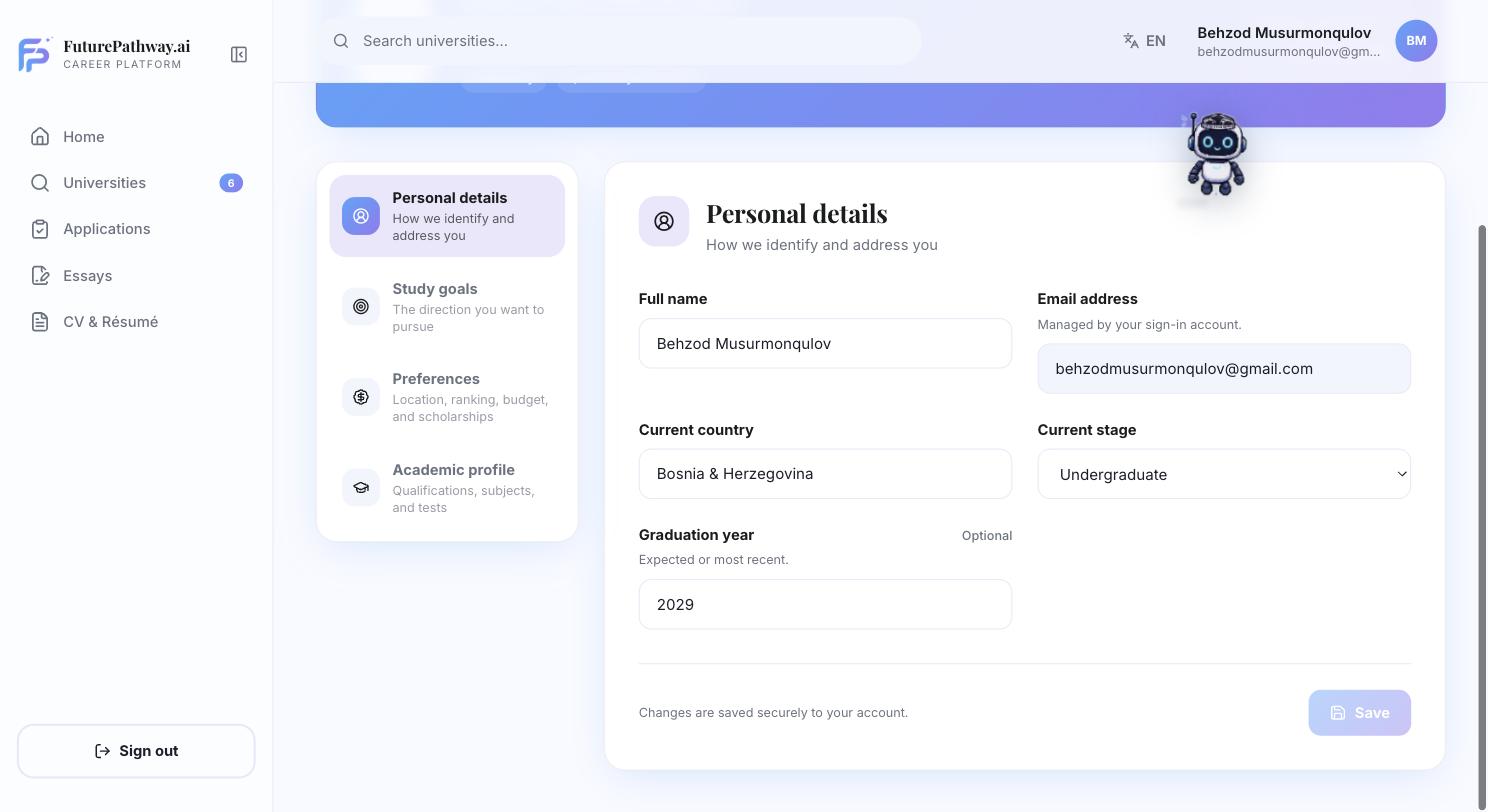
Personal details, study goals, location and budget preferences, and academic qualifications are recorded in one profile, organized into four sections. A coverage indicator reports how many of the four sections are complete. Every other module — discovery matching, application tracking, and essay coaching — reads from this profile rather than collecting the same information a second time.
2.6 Essay Studio
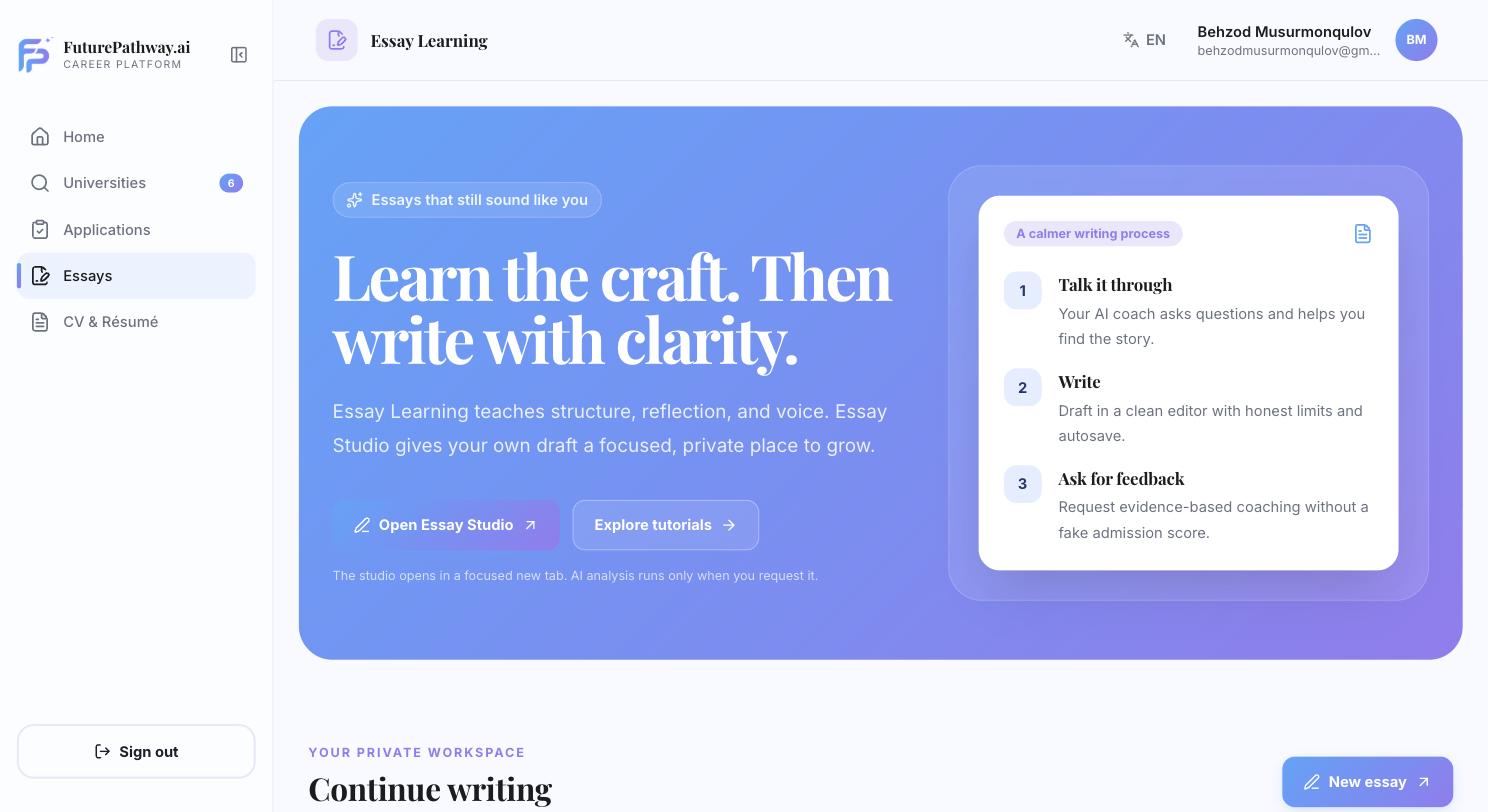
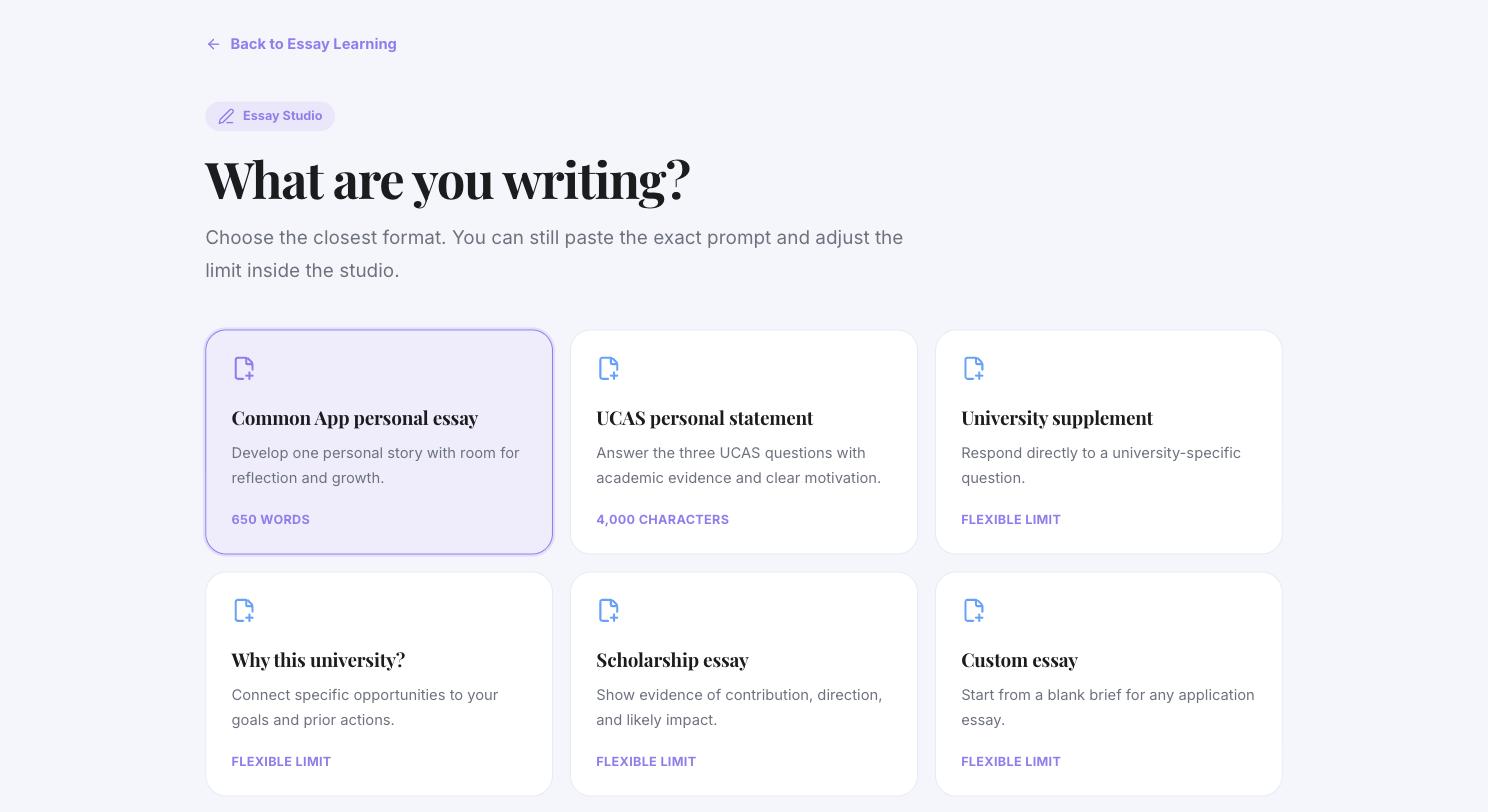
Provides six starting formats — a Common App personal essay (650 words), a UCAS personal statement (4,000 characters), a university supplement, a "why this university" essay, a scholarship essay, and a custom brief — and a three-stage process: a guided conversation to identify subject matter, a drafting editor with autosave, and feedback requested explicitly by the student rather than generated automatically in the background. No numerical or probability-based score is produced at any stage.
2.7 CV & résumé builder
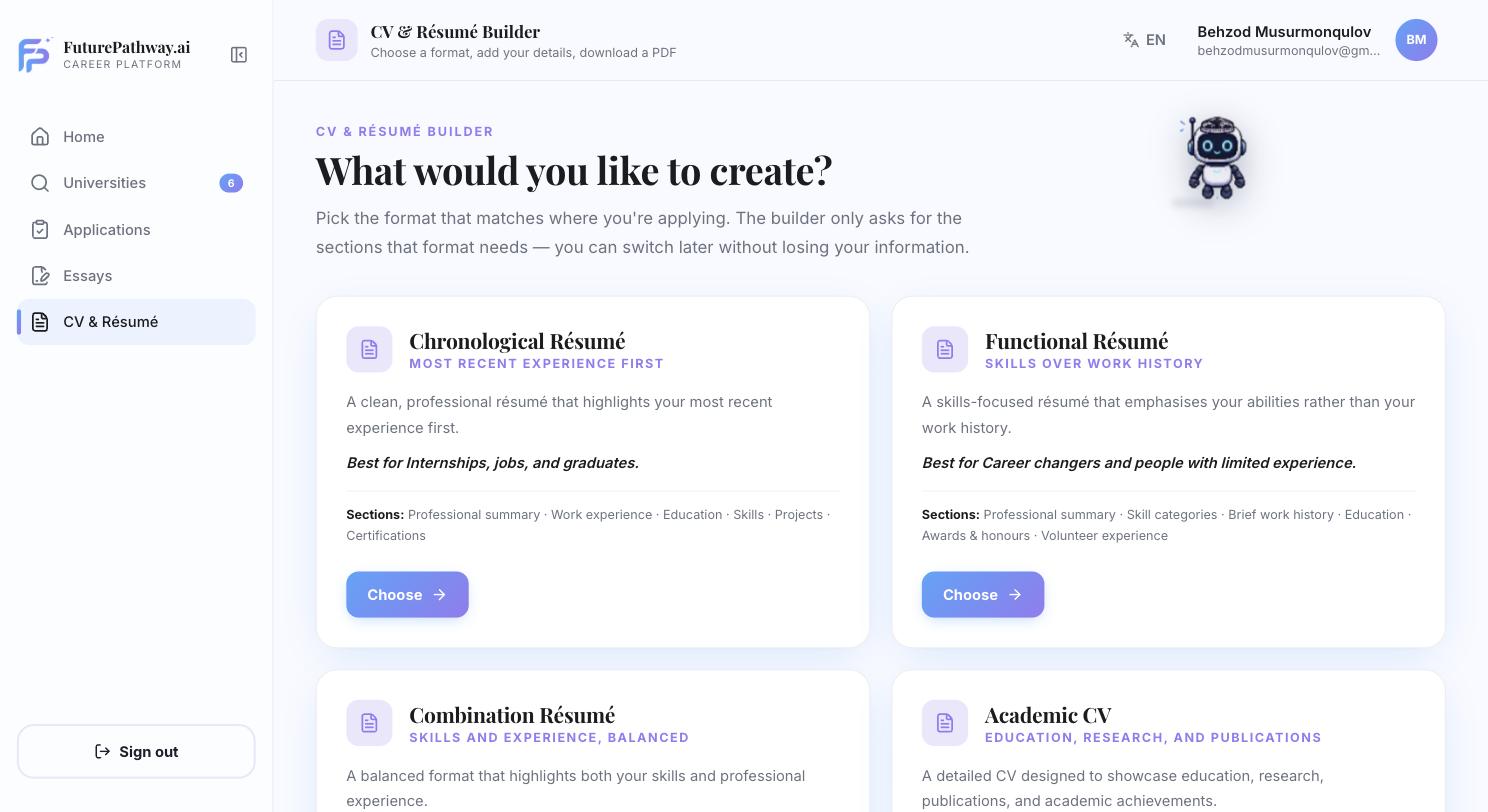
Offers five formats — Chronological (most recent experience first), Functional (skills-led), Combination, Academic CV (for research and publication history), and Europass (the standardised European format). A student can switch formats without re-entering information; each format requests only the sections it requires and renders an identical on-screen preview and PDF export from one underlying record.
3. Matching methodology
University-fit results are produced by a fixed comparison, not by a machine-learning estimate. For each of the six priorities a student sets (Section 2.1), the engine checks the corresponding field on the university record and assigns one of three outcomes — match, mismatch, or unknown (used when no comparable published figure exists for that university). Every outcome is retained along with the source it was checked against, so a student can trace any verdict back to a specific published figure.
| Verdict, as shown to the student | Condition |
|---|---|
| Matches stated priorities | At least two priorities are confirmed as a match, and every priority the student set could be checked — none returned "unknown." |
| Some preferences align | At least one priority is confirmed as a match, and none is confirmed as a mismatch. |
| Review your priorities | At least one priority is confirmed as a mismatch against published data for that university. |
| Not enough evidence | No priority could be confirmed as either a match or a mismatch. |
4. Student process sequence
The table below lists the sequence a student is expected to follow, from account creation to a submitted application. Steps 1–6 are required and largely sequential; steps 7 and 8 run alongside steps 6–9 once an application record exists.
| # | Step | Action | Requirement | Completion criterion |
|---|---|---|---|---|
| 1 | Sign up & choose a goal | Create an account and select a starting goal, which determines what the product surfaces first. | Required | Account exists; a goal is selected. |
| 2 | Build the profile | Complete the four profile sections described in Section 2.5. | Required | Profile coverage reads 4 of 4 sections. |
| 3 | Set priorities & review matches | Set matching priorities (Section 2.1) and review the discovery results they produce. | Required | At least one priority is set; results are sorted by fit. |
| 4 | Review the evidence | Open the full profile for each candidate university (Section 2.2) and follow the source links behind its verdict, rather than relying on the badge alone. | Required | The student can state the basis for each shortlisted choice. |
| 5 | Build the shortlist | Save candidate universities with a note and a classification (Section 2.3). | Required | The shortlist reflects a mix of reach, match, and safety options. |
| 6 | Create application records | Convert shortlisted universities into application records (Section 2.4). | Required | Every university the student intends to apply to has a corresponding record. |
| 7 | Draft essays | Produce the required essay for each application through Essay Studio (Section 2.6). | Runs alongside 6–9 | Every required essay has a completed draft. |
| 8 | Build a CV / résumé | Produce a résumé in the format an application calls for (Section 2.7). Not every application requires one. | Optional | A current PDF export exists and matches the profile. |
| 9 | Complete tasks & submit | Clear the outstanding-tasks queue for each application and submit it through its official channel. | Ongoing | Task list complete; application submitted via UCAS, Common App, or the university's own portal. |
5. Recommended usage cadence
The product is designed to be used repeatedly across an application cycle rather than completed in a single sitting. The following cadence is recommended alongside the sequence in Section 4.
- Week one
- Complete the profile before reviewing matches. An incomplete or inaccurate profile (Section 2.5) produces unreliable fit results, since every priority check in Section 3 depends on it.
- Ongoing, weekly
- Re-set priorities as they change. Test scores, budgets, and target countries change over the course of an application cycle; priorities should be reviewed periodically so discovery results stay current rather than stale.
- Once applications open
- Work from the outstanding-tasks queue. The dashboard (Section 2.4) surfaces one task at a time across all open applications. Working from the top of that queue, rather than from whichever application feels most pressing, reduces the likelihood of a missed deadline.
- Final stretch
- Draft essays early. Because the feedback stage in Essay Studio (Section 2.6) is initiated by the student rather than automatic, essays drafted with time for multiple feedback rounds are stronger, in practice, than essays started immediately before a deadline.
6. Scope limitations
6.1 Product capabilities not yet available
Some capabilities referenced on the public marketing site are not present in the signed-in product at the time of writing. Consistent with the convention described in Section 1, the product itself does not present these as available:
- Admission-chances calculator — the "See your chances" control on the public site opens a "coming soon" notice; no probability estimate is calculated.
- Career matching, skill-gap assessment, and internship matching — the Career Planning screen states directly that no résumé, assessment, or employer data has been collected.
"This page does not display readiness scores, proficiency levels, career matches, or employer claims" — because those data sources do not yet exist.
Verbatim copy shown to students on the Career Planning screen, current build.6.2 Recommendations for improving the matching system
A university-admissions decision is typically made once, carries multi-year financial and career consequences, and is difficult to reverse. The comparison logic described in Section 3 was built around a single rule — never present unverified information as fact — which is a necessary property of a system used for a decision of this weight, but it is not sufficient on its own. The items below were identified by reviewing the matching implementation directly, not by general observation, and are presented as priorities rather than long-term ideas.
- Academic qualifications are collected but not evaluated. GPA, SAT, and ACT scores are captured during profile setup (Section 2.5) but are not referenced anywhere in the comparison — only country, subject/degree, ranking goal, budget, scholarship need, and English-test score are checked. Why it matters: admissions requirements are frequently expressed as score ranges; without comparing a student's own scores against them, a "match" verdict reflects stated-preference alignment, not resemblance to an admitted student's profile, and is not labelled as such. Recommendation: extend the comparison to include GPA, SAT, and ACT against each university's published typical ranges, using the same match / mismatch / unknown structure already used for the other six factors; where a range rather than a minimum is published, compare against the midpoint and flag proximity to either edge.
- The strongest verdict is structurally unreachable once a subject is set. The subject/degree comparison always returns "unknown" — it does not check programme availability against any data source — yet the "Matches stated priorities" verdict (Table 3.1) requires that every priority the student set resolve to something other than unknown. Why it matters: stating an intended subject is one of the most natural actions when searching for a university, so in practice the highest-confidence verdict can almost never appear once a subject is set, for any university, regardless of true fit. Recommendation: implement an actual programme-availability check against each university's published degree pages so this factor can resolve to match or mismatch; until that data source exists, exclude "unknown" outcomes that are unverifiable by design — as opposed to unverifiable for lack of current data — from the zero-unknowns requirement.
- Budget comparison succeeds only under a narrow set of conditions. A result resolves only when tuition is published in USD, stated per year, carries an explicit international-student minimum, and the student's budget is scoped to tuition rather than total cost of study; any other combination returns "unknown." Why it matters: budget is one of the most decision-relevant factors for most families, and a large share of real cases will fail at least one condition above, so it will often contribute no signal at all. Recommendation: support currency conversion at comparison time using a clearly dated rate, and add a distinct total-cost-of-study figure (tuition plus a published or estimated living-cost figure) to each university profile so a total-cost budget compares on the same basis as a tuition-only one.
- English-test minimums are extracted from free text, not read from a structured field. A published admissions-requirement string is scanned for phrases such as "minimum" or "at least" followed by a number. Why it matters: a minimum phrased differently, given as a range, or stated per programme will either go undetected — surfacing as "unknown" — or, in rarer cases, be extracted incorrectly with no indication to the student that the figure was inferred rather than read directly. Recommendation: store admissions minimums as individually-sourced numeric fields at data-entry time; where a figure was derived from text during a transition period, mark it as inferred rather than confirmed, so confidence is visible rather than uniform.
- Marking a scholarship as essential produces a weaker result than marking it merely preferred. When a university lists scholarships as available, a student who set scholarship priority to "preferred" receives a match; a student who set it to "essential" receives "unknown," for identical underlying data. Why it matters: this inverts what a student setting a strict requirement would reasonably expect, and is not intentional product behaviour. Recommendation: separate "is a scholarship listed" (a match/mismatch fact about the university) from "is this student individually eligible" (a question no current data source answers) into two fields, so listed availability resolves consistently and individual eligibility is surfaced as its own, explicitly unresolved note.
- Comparison weights are fixed constants, not derived from outcomes. The numeric weight given to each of the six factors was set at implementation time and has never been checked against real admission or satisfaction outcomes. Why it matters: the relative importance of, for instance, ranking versus budget is a genuine individual judgement call; applying one fixed weighting to every student implies a validated authority the weights do not have. Recommendation: publish the current weights and their rationale inside the product itself, and begin recording — with explicit student consent — which shortlisted or applied-to universities a student is later admitted to, so weighting can eventually be checked against outcomes rather than fixed by assumption.
Introducing a machine-learning-based estimate
The public marketing site references a "chances" calculator that does not exist in the signed-in product (Section 6.1). Because an admissions decision carries irreversible, multi-year consequences, introducing any probability estimate carries real risk if the groundwork below is skipped. These are prerequisites, not a description of the model itself.
- Build the data before the model. The current university dataset holds published rankings, tuition, and stated minimums, but not the two inputs a probability estimate actually depends on: the distribution of academic profiles within a university's admitted class, and outcome records pairing real students' profiles with the decisions they received. Neither exists in the schema today. A calculator built without the first would only restate the published-minimum comparison already in Section 3; one built without the second would have nothing to validate against, and any percentage it produced would be a guess presented as a statistic.
- Start narrow, not general. Begin with a small number of universities and programmes for which admitted-class data is reliably published, and confirm accuracy there before expanding. A tool that is honest about covering a limited set of programmes well is less likely to mislead a student than one that estimates across all 1,504 universities from day one.
- Show a band, not a false-precision percentage. Given realistic dataset sizes, an estimate should be expressed as a coarse band — below typical range / within typical range / above typical range, or a wide interval — rather than a single figure such as "23% chance," which implies a level of statistical confidence the data will not support for a long time, if ever. The estimate should state how many comparable historical cases it is based on, extending the "never state what cannot be verified" principle in Section 3 to the model's own confidence.
- Keep it informational, never gating. The estimate should not affect which universities appear in the discovery results or shortlist (Section 2.1). It should sit as a separately labelled figure on a university's profile page, so a low estimate does not remove an option a student may still have good reason to pursue, and a high estimate does not discourage the reach/match/safety spread recommended in Section 4, step 5.
- Revalidate every admissions cycle. Admissions criteria and typical admitted profiles shift year to year. A model trained once and left in place will become quietly less accurate with no visible signal to the student. Performance against each cycle's actual outcomes should be reviewed before an estimate is shown for that cycle, and the estimate should display which cycle it was calculated from.